HealthTAG / Personal Health Record (PHR)

Your health data, organized by purpose

Health data belongs to the patient. HealthTAG PHR presents the information available and permitted for that patient, organized by purpose with each data source kept visible.

PHRAuthorized patient view
OverviewClinical · biological · continuous
RecordsMedicines · allergies · visits
ConnectionsHospitals and providers
Patient toolsReports · referral · emergency
PATIENT OWNERSHIP

Patients control use; hospitals retain the original records

Patients decide whether and how their health data may be used. Hospitals store and steward the original clinical records in source systems. The PHR displays the information permitted for each patient without moving those records.

PHR FEATURES

What patients can do in the PHR

01

A health overview without losing the detail

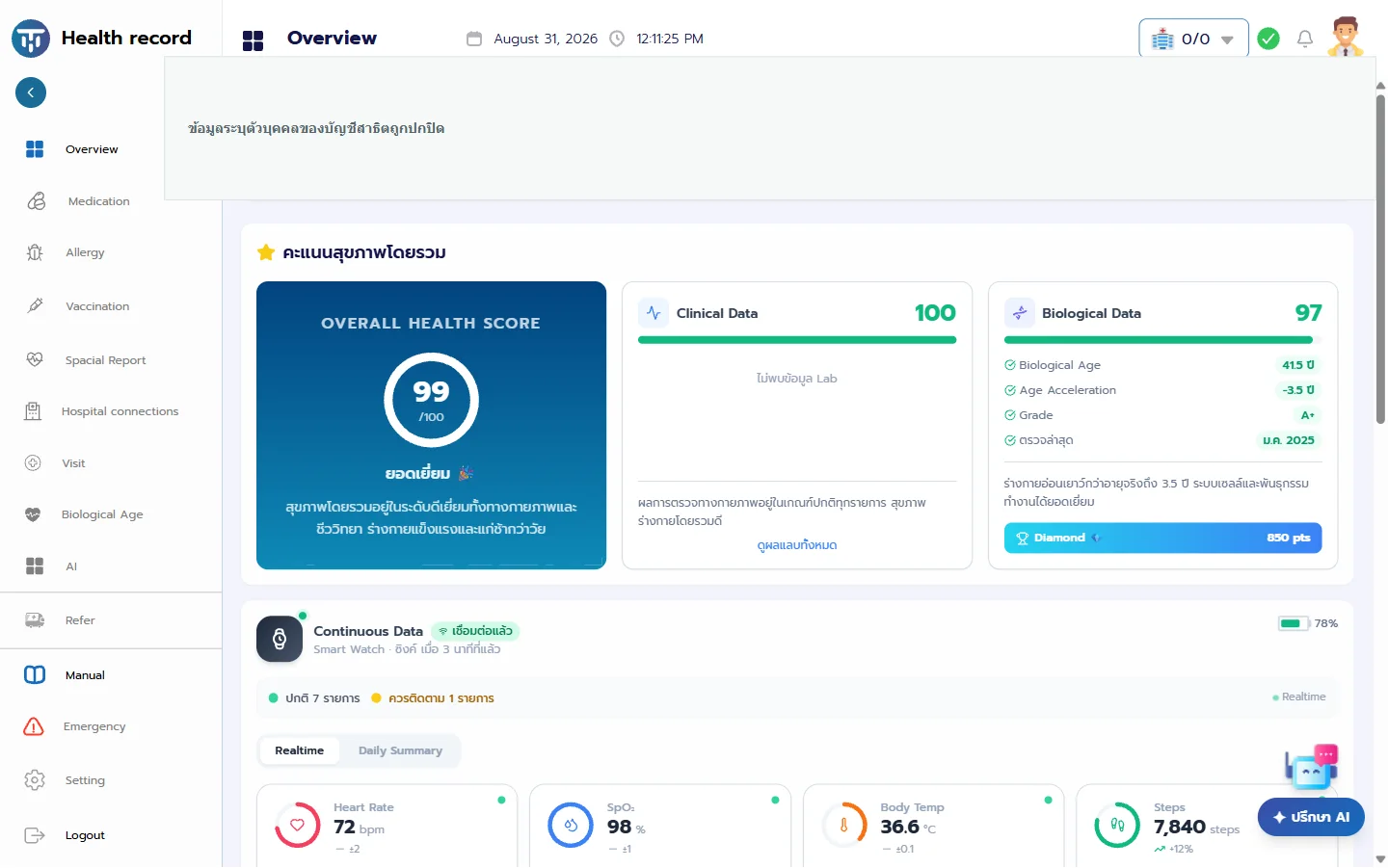
The overview brings together the available clinical summary, biological-age results, and continuous readings. Patients can move from a high-level health score to the underlying category that needs attention.

Clinical summaryBiological ageContinuous readings
02

Records organized around common patient questions

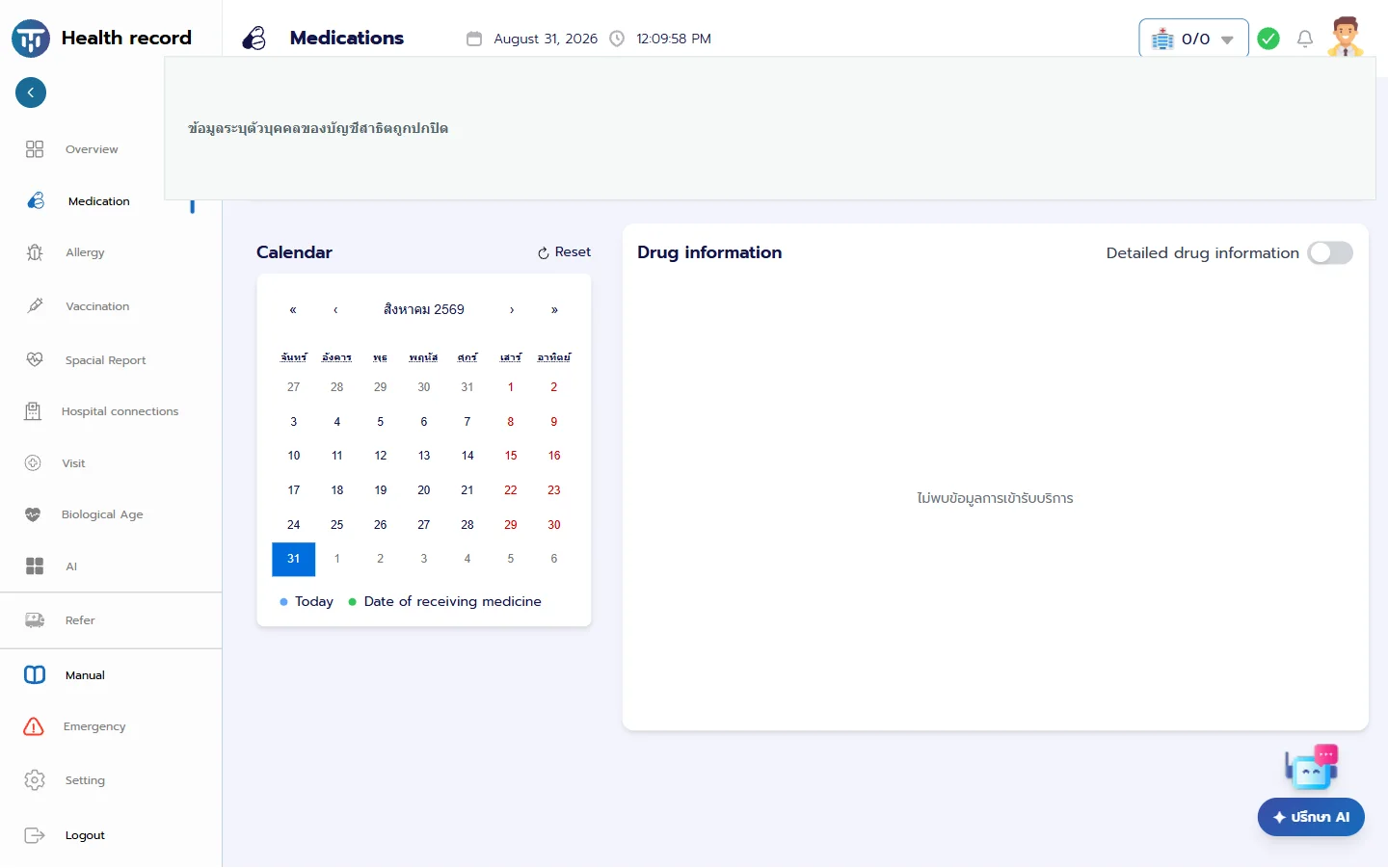
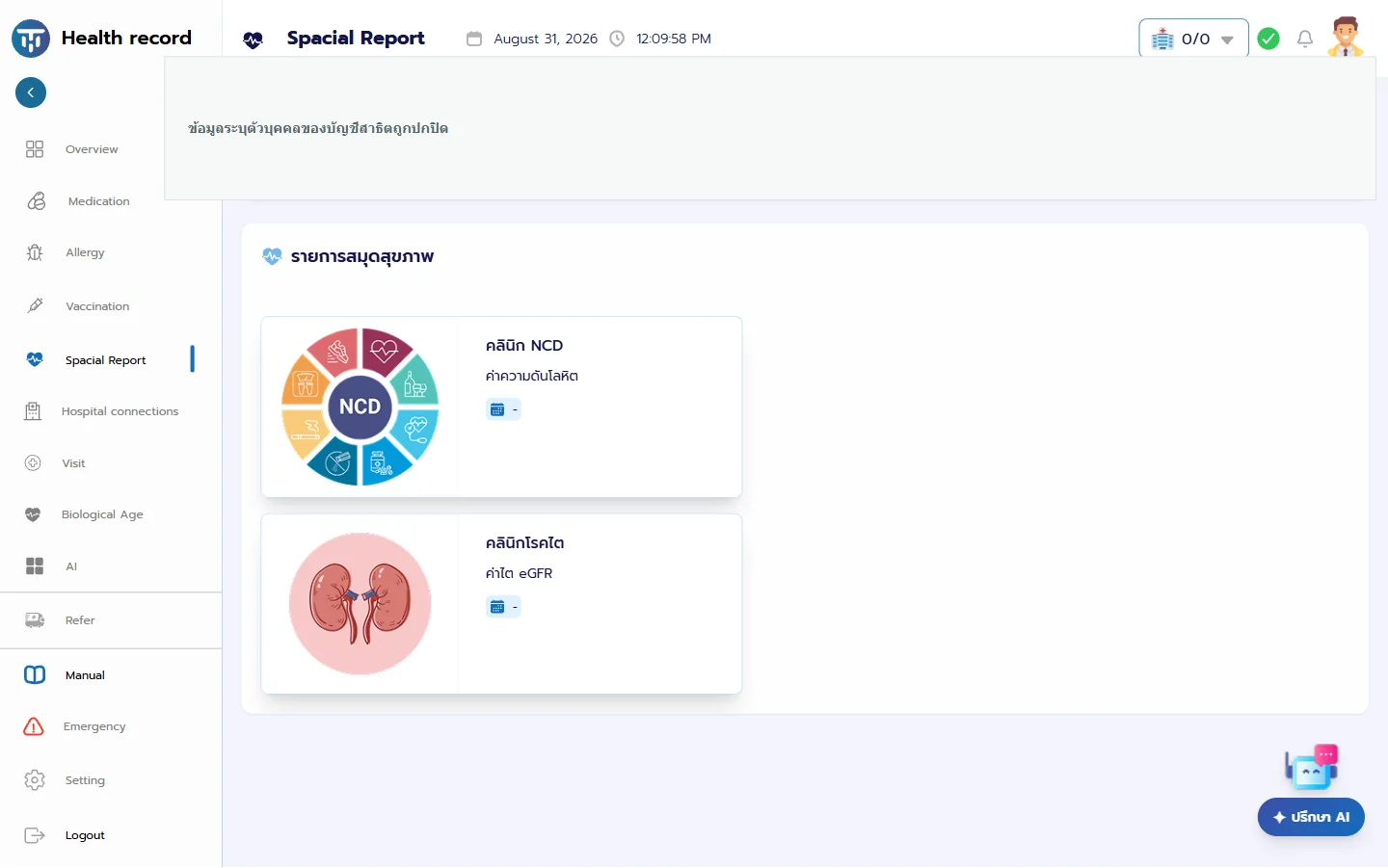
Separate views cover medicines, allergies, vaccinations, hospital visits, and special reports. The medicine view uses a calendar to show when medicine was received, while special reports group items such as NCD and kidney-clinic results.

MedicinesAllergiesVaccinationsVisits
03

Hospital connections remain visible

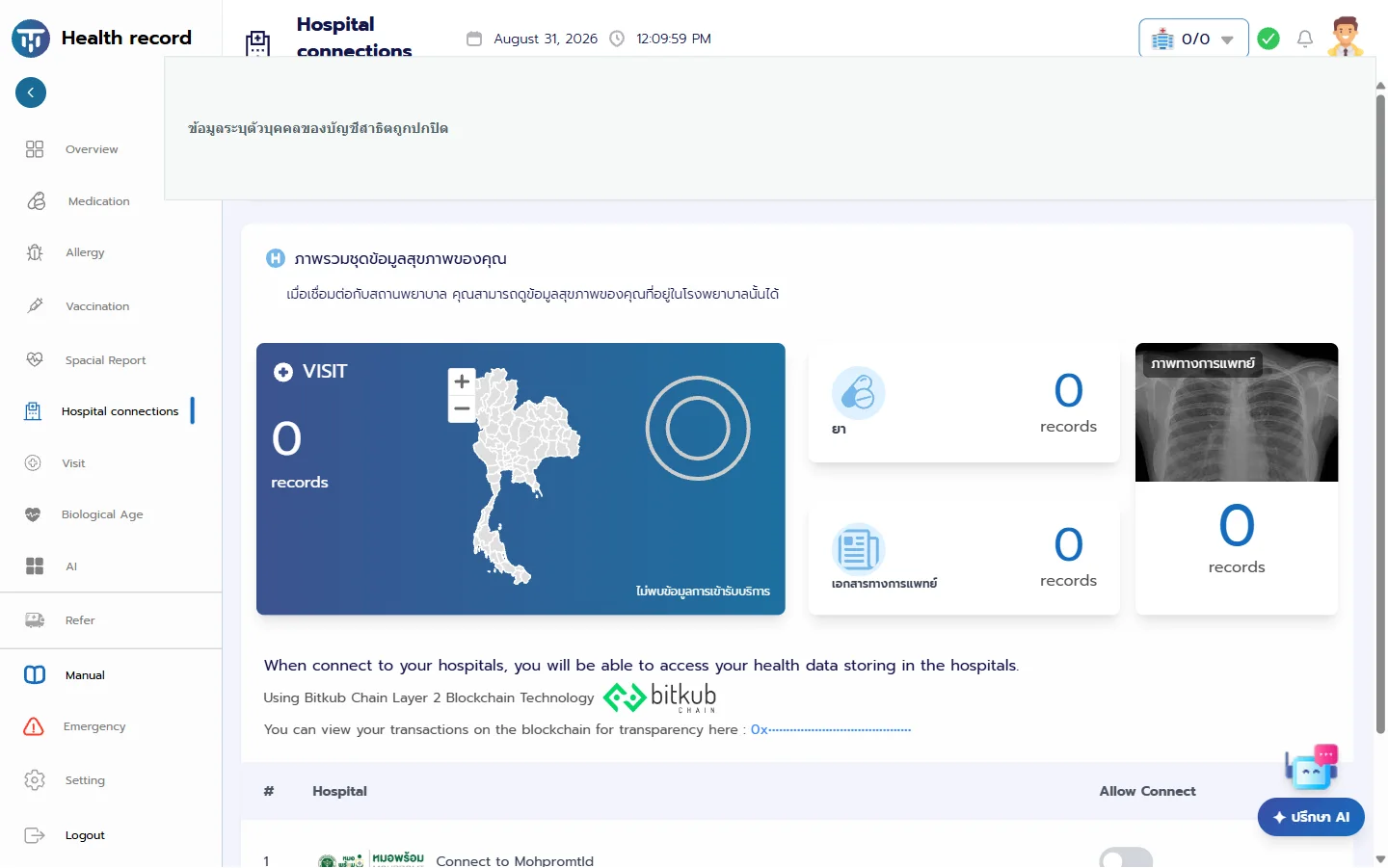
Patients can see connected data sources and the number of available visit, medicine, document, and medical-image records. Connection controls are shown alongside the hospital or provider identity.

Data sourcesConnection controlRecord counts
04

Other tools available in the PHR

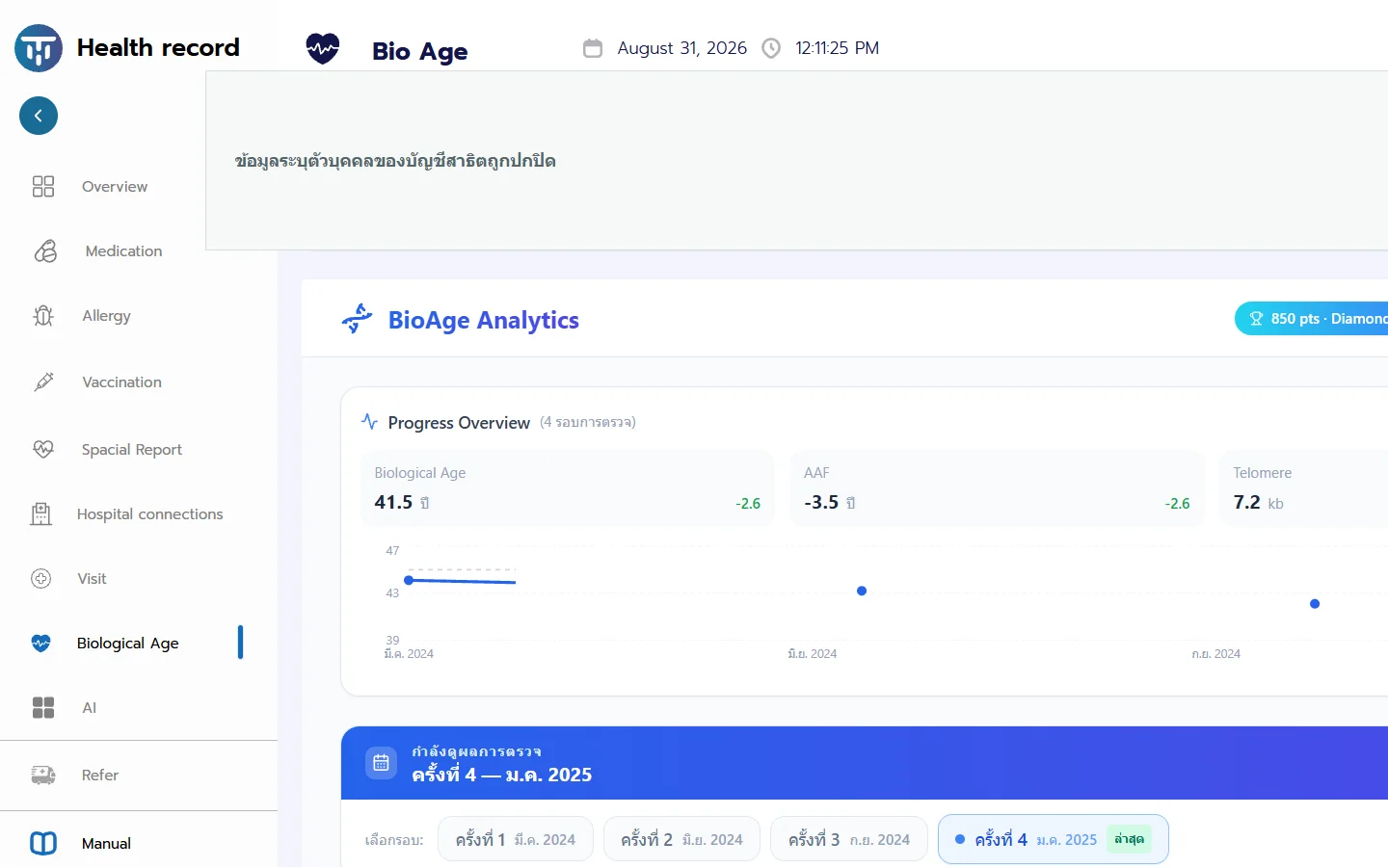
The PHR also includes biological-age analytics, an AI assistant area, referral, emergency information, and profile settings. Availability and content depend on the account, connected services, and the data supplied to the PHR.

BioAge analyticsAI assistantReferralEmergency
05

NFC is an entry point, not the record store

An NFC sticker can open the user’s PHR on a compatible device. Normal identity and authorization checks still apply, and the sticker does not store the user’s clinical record.

NFC stickerPHR entry pointNo clinical records on sticker
PRODUCT SCREENS

Explore the PHR

HealthTAG PHR organizes information into a health overview, medicines, special reports, hospital connections, and BioAge Analytics.

AVAILABLE INFORMATION

The PHR presents what is available and authorized

A category may be empty when no matching record is available. The information shown varies with the patient account, connected hospital or provider, authorization, and the data supplied by those systems.

Read about authorization and audit →